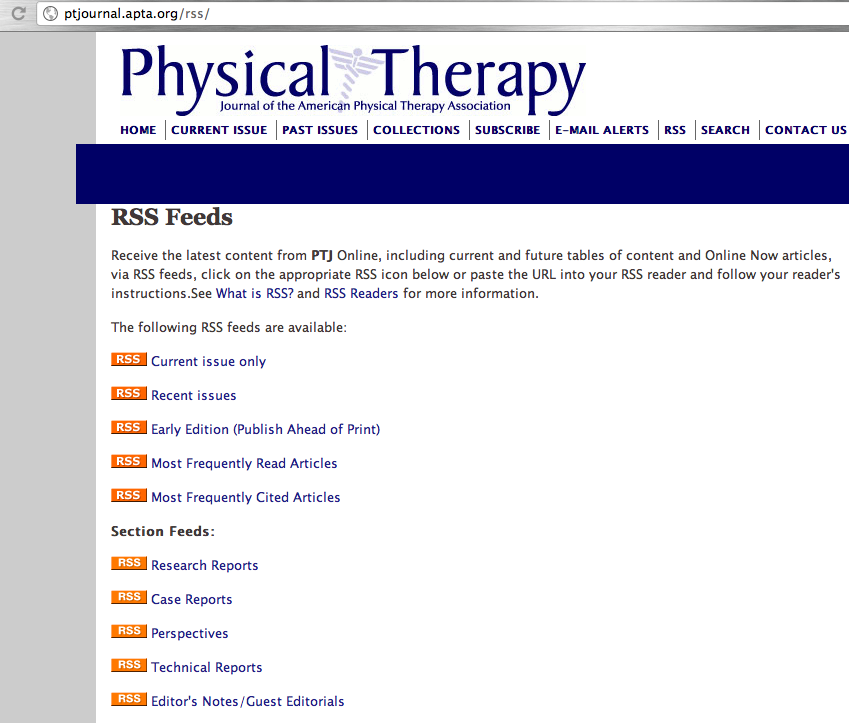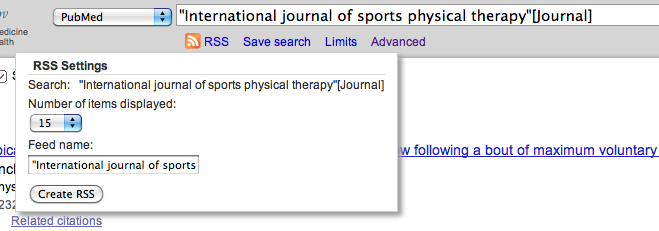

In the first two posts of this series I discussed the concepts of RSS and Web 2.0 as well as detailing the set up of Google Reader.
This post will discuss which journals we should be following and reading as physical therapists. Obviously, there is Physical Therapy Journal as well as population and practice area specific physical therapy journals published by the sections of the American Physical Therapy Association:

- Journal of Orthopaedic and Sports Physical Therapy
- International Journal of Sports Physical Therapy
- Cardiopulmonary Physical Therapy Journal
- Journal of Acute Care Physical Therapy
- Journal of Neurologic Physical Therapy
- Journal of Women’s Health Physical Therapy
- Journal of Geriatric Physical Therapy
- Pediatric Physical Therapy
Definitely subscribe to some (or all!) of those journals via RSS. Remember, if the journal website does not have an RSS icon or url, you can create an RSS for a PubMed search for that specific journal. I outlined how to do this in my previous post.
Following physical therapy specific journals seems quite obvious. But, an interesting article published in Physical Therapy Journal detailed some specifics regarding journals that publish physical therapy and rehabilitation specific trials. The article, Core Journals that Publish Clinical Trials of Physical Therapy Interventions, analyzed journals that published clinical trials of physical therapy interventions. The journals were then ranked by
- Total Number of Trials
- Quality of Trials ranked via PEDro Score
- Impact Factor
Most Trials of Physical Therapy Interventions
- Archives of Physical Medicine and Rehabilitation
- Clinical Rehabilitation
- Spine
- British Medical Journal
- Chest
Highest Quality Trials Based on PEDro Score
- Journal of Physiotherapy
- Journal of American Medical Association
- Stroke
- Spine
- Clinical Rehabilitation
Highest Quality Trials from 2000-2009
- Journal of Physiotherapy
- Journal of American Medical Association
- Lancet
- British Medical Journal
- Pain
Highest Impact Factor: 2008
- Journal of America Medical Association
- Lancet
- British Medical Journal
- American Journal of Respiratory and Critical Care Medicine
- Thorax
The authors conclusions: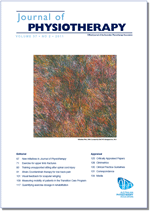
- Physical therapists must read more broadly than physical therapy specific journals
- High quality trials are not necessarily published in journals with the highest impact factor
Surprised? The only physical therapy specific journal is the Journal of Physiotherapy, which is published by the Australian Physiotherapy Association.
NOTE: Take into account the data is only in regards to Randomized Control Trials (RCT’s) of interventions. It does not include information regarding articles on basic sciences, physiology, or neuroscience. Further, it does not include case reports, clinical perspectives, and other manuscript types. Regardless, it provides us with guiding information on where we should be looking for research to guide our practice and understanding. In addition, I believe it reiterates the point that we need to continually look to other areas of research to deepen our mechanistic understanding of physiology especially neuroscience. I think it is absolutely imperative we stay up to date on basic science research especially as it relates to neuroscience, the physiology of pain, and exercise science.
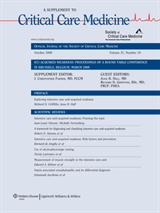 For example, in October of 2009 Critical Care Medicine devoted an ENTIRE supplemental issue to Intensive Care Unit Acquired Weakness (ICU-AW) including clinical and physiologic studies examining neuromuscualr impairments, clinical examination, and clinical treatment. In all, there were 20 articles, reviews, and manuscripts in this supplement. That sounds like something a physical therapist practicing in acute care should follow!!
Now, although Physical Therapy Journal failed to make the Top 5 in any of the categories above a recent investigation in Journal Citation Reports gave PTJ high marks: #1 Among physical therapy specific journals. #3 Among ALL rehabilitation journals. #7 of 61 Among orthopaedic journals. Please visit this post via PT in Motion: News Now for a summary. Paul Ingraham, a massage therapist and writer covering science based pain care over at Save Yourself, compiled his own Top 10 List based on the results of the PTJ study. His list is very similar to the ones above.
Below you will see journals that I think are applicable to clinical practice and scientific understanding. I organized them by a few practice areas and topics. I also provide the RSS link next to the journal name. I did not include any of the physical therapy specific publications, but the links to those journals are earlier in the post. In the instances where the journal does not have an RSS, I have included an RSS for the PubMed search for that particular journal. If you want to follow any of the journals below all you have to do is copy and paste the RSS url into the ‘Add Subscription’ box of google reader! I have also hyperlinked to the journal websites, so please also visit the journal websites to explore other potential RSS options on content including online ahead of print and podcasts.
General Clinical Practice and Basic Sciences
- Journal of Phsyiotherapy: http://eutils.ncbi.nlm.nih.gov/entrez/eutils/erss.cgi?rss_guid=1b_xvYg-6HN0FKdsXW2m2Wz2PRbnPFD0Dryc1VD8Iije7vU9cq
- Pain: http://www.painjournalonline.com/current.rss
- Journal of Pain: http://www.jpain.org/current.rss
- Injury Prevention: British Medical Journal: http://injuryprevention.bmj.com/rss/current.xml
- Archives of Physical Medicine and Rehabilitation: http://www.archives-pmr.org/current.rss
- Clinical Rehabilitation: http://cre.sagepub.com/rss/current.xml
- Medicine & Science in Sports and Exercise: http://journals.lww.com/acsm-msse/_layouts/OAKS.Journals/feed.aspx?FeedType=CurrentIssue
- Journal of Strength and Conditioning Research: http://journals.lww.com/nsca-jscr/_layouts/OAKS.Journals/feed.aspx?FeedType=CurrentIssue
- American Journal of Occupational Therapy: http://ajot.aotapress.net/rss/current.xml
- American Heart Association: RSS Options > All Journals
Medical Journals
- Journal of American Medical Association: http://jama.ama-assn.org/rss/current.xml
- Lancet: http://www.thelancet.com/rssfeed/lancet_current.xml
- Annals of Internal Medicine: http://media.acponline.org/feeds/annalstoc.xml
- New England Journal of Medicine: http://www.nejm.org/medical-rss/current-issue
Acute Care
- Critical Care Medicine: http://journals.lww.com/ccmjournal/_layouts/OAKS.Journals/feed.aspx?FeedType=CurrentIssue
- American Journal of Respiratory and Critical Care Medicine: http://ajrccm.atsjournals.org/rss/current.xml
- Chest: http://chestjournal.chestpubs.org/rss/current.xml
- Thorax: http://thorax.bmj.com/rss/current.xml
Neurologic
- Stroke: http://stroke.ahajournals.org/rss/current.xml
- Brain: http://brain.oxfordjournals.org/rss/current.xml
Orthopaedics: General
- BMC: Musculoskeletal Disorders: http://www.biomedcentral.com/bmcmusculoskeletdisord/rss
- Spine: http://journals.lww.com/spinejournal/_layouts/OAKS.Journals/feed.aspx?FeedType=CurrentIssue
Manual Therapy
- Journal of Manual and Manipulative Therapy: http://api.ingentaconnect.com/content/maney/jmt/latest?format=rss
- Manual Therapy: http://www.manualtherapyjournal.com/current.rss
Sports
- International Journal of Sports Physical Therapy: http://eutils.ncbi.nlm.nih.gov/entrez/eutils/erss.cgi?rss_guid=1zy4NRF93Nh0RuQZtqJYY7ntR_gOojdXPKU4EC-odQywhpTEUT
- Sports Health: http://sph.sagepub.com/rss/current.xml
- American Journal of Sports Medicine: http://ajs.sagepub.com/rss/current.xml
- British Journal of Sports Medicine: http://bjsm.bmj.com/rss/current.xml
- Journal of Sports Sciences: http://www.informaworld.com/ampp/rss~content=t713721847
Now, this is not an exhaustive list. Depending on your practice area and the populations you work with other journals may be more applicable. For example, if you work at a rehabilitation hospital that specializes in the treatment of spinal cord injury Spinal Cord and Journal of Spinal Cord Medicine are obviously more applicable journals. Also, I did not include lists for Pediatric, Geriatric, or Women’s Health practice areas. But, if you practice in these areas or have suggestions please provide us some information by leaving a comment!
Hopefully, the information and journals listed were helpful. Spend some time over the next week analyzing which journals you subscribe to, follow, and read. Ask yourself “WHY?”
- What journals do you read?
- What would you add to the above lists?
- What did I miss?
In the next post, I will provide a brief overview and evaluation of some of the blogs I follow. Do you have favorite blogs that you read? Please comment and let us know. Stay tuned!